


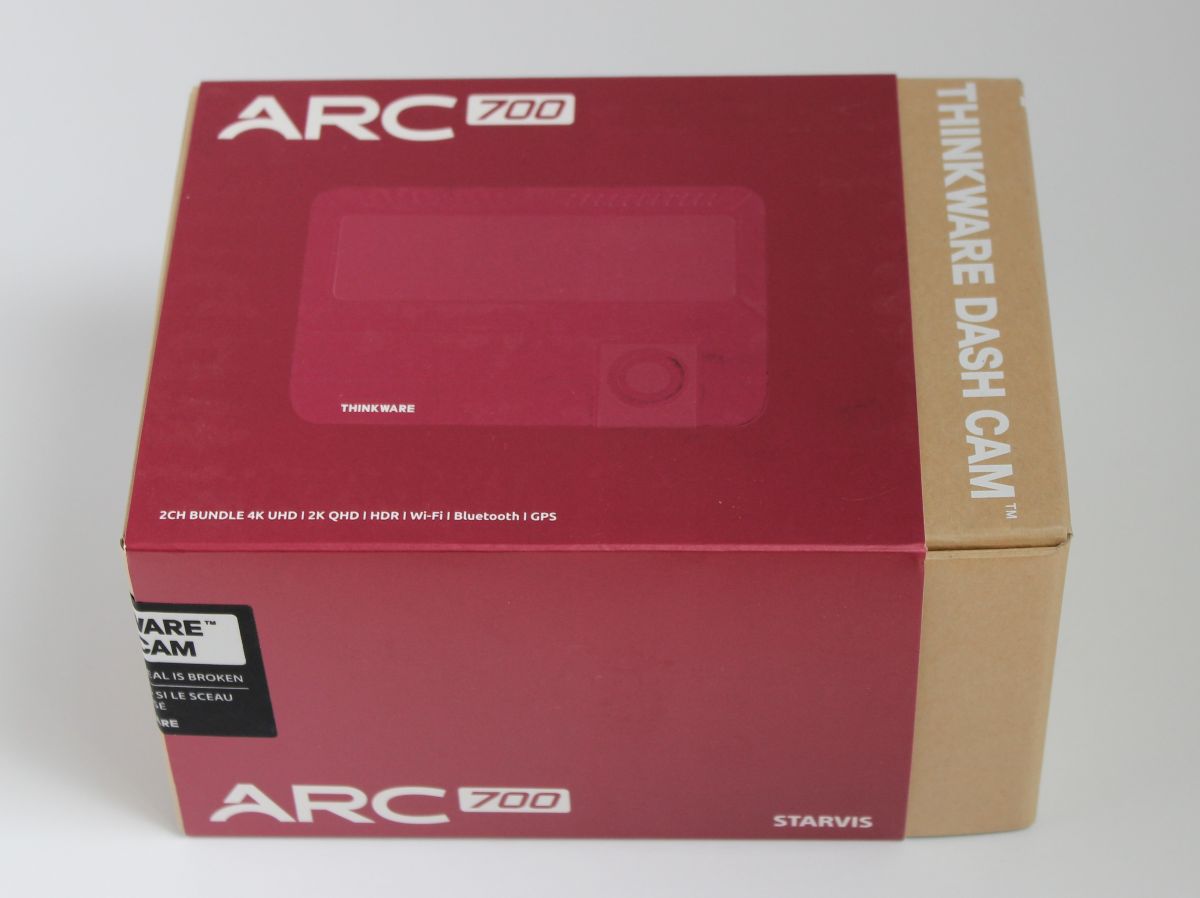
REVIEW – I have a theory that everyone driving on the highway nowadays is so much faster than it was before we all met Joe Exotic and baked way too much sour dough. Like those movies where when someone pauses time and when it un-pauses everything is twice the speed. My morning commute has started to closely resemble Grand Theft Auto a little too much for my comfort, not to mention the number of things that can happen to your vehicle just from being parked. Enter for consideration, the Thinkware ARC 700 Front & Rear dash camera. This dash cam provides a surprisingly crisp video recordings with 4k recording in the front, 2k in the rear, each recording is one minute long and easily accessible via micro SD card or the phone app. Let’s see if the Thinkware ARC 700 can offer some peace of mind.

︎ Jump to summary (pros/cons)
Price: $329.99
Where to buy: Thinkware | Amazon
What is it?
The ARC 700 is a new model of front and rear dash cameras from Thinkware. For installation, the cameras get adhered to the windshield just next to the rearview mirror, while the rear dash cam sits at the top center of your back window. The cameras can rotate up or down to get the best view through it’s window. For powering the device, Thinkware included two options. The less permanent option connects the necessary cables for power through an accessory socket; my more seasoned readers will know this as the ever disappearing “cigarette lighter” port. This involves manually hiding and securing the wires going the length of your vehicle. Your other option requires hard wiring the cameras to your vehicle’s electrical system and keeping your fingers crossed the person installing it hides the wires without damaging the interior. For this review, I’ve chosen the former.

What’s included?
- Dash Camera
- Rear Camera
- Hard wiring cable
- Micro SD Card
- Windshield Mount
- Extra mounting tape
- Cable holders (3)
- Quick start guide
- CS information

Tech specs
- 4k Dash Camera; STARVIS IMX415 sensor w/ 4K UHD video at 30fps
- 2k Rear Camera; Galaxycore GC4653 sensor w/ 2k UHD video
- Parking Surveillance Mode; Motion/Impact detection, Time Lapse, Smart Parking Mode, and Energy Saving Mode
- Integrated Thermal Protection Mode; monitor internal temperature levels, triggering an automatic shut-off in extreme temperatures
- Camera Safety Alerts; built-in GPS enables speed and red-light camera alerts and embeds GPS data (speed, time, and location) into video footage
- Loop Recording; In the event of full memory car looped recording will keep current recordings over the oldest video
- Anti File Corruption; protects against data loss and fragmentation to prolong the card’s lifespan

Design and features
Assembly, Installation and Setup
Having chosen what I consider to be the easier installation, here’s what I’ll say: never leave the SD card out. It will NOT let you bypass that and will yell at you. Self-installation is a bit of a pain and depends entirely how on comfortable you are stuffing wires wherever they’ll fit running the length of your car. Anchored by the cigarette lighter-style plug, the first wire has to go to the main camera. The second wire, to power the rear camera, goes from the main camera all the way back to the rear windshield. The included 2nd wire is super long; those of us that drive a limo as our everyday might run into an issue, but for everyone else, don’t throw away those bread ties. The cameras themselves are mounted to whatever flat space your vehicle has available via an aggressively sticky pad. Alcohol pads are included to prepare the area. Once you adjust the angle of the lens’ and connect the phone app, you’re good to go, provided the wires don’t impede your privilege to take a right on red.

Performance
The Thinkware Arc 700 has been with me for a month, and in that time, it has been an experience. I would like to mention, remembering the mute button on the microphone is imperative. If anyone else has seen that Patton Oswalt stand up from a bunch of years ago, “The Bugged Car”, you’ll understand. I had HOURS of nonsense self-talk. My partner will never let me live this down. The only way I can break up the performance here is live VS recorded.

Live: This model from Thinkware does not come with a screen. This is a conscious choice as there are many other models that do have small screens to see what is being captured in real time. However, I believe adding more things to monitor while driving could be distracting enough to make me the problem. You still have the option to watch the live feed through the app. While he drove, I connected to the app and camera and it was nice to be able to check behind him. All the images were crisp and we could zoom in on the 4k stills to read licenses plates. The camera itself was very easy to use, with useful buttons for quick actions.

Recorded: Some of the real magic happened here. I could pull up recordings from my drives, and captures from the parking surveillance.

The phone app offers a ton of customization options.

Final thoughts
Some day, I’m sure in the not so distant future, dash cameras will become a standard piece of equipment on every vehicle. Till then, working with the Thinkware Arc 700 has absolutely solidified that anyone who drives should have a dash cam installed. The Arc 700 is a powerful camera with safety at the head of design.
What I like about the Thinkware Arc 700 Dash Cam
- Crisp Recordings even at night
- Clear loud instruction
- App is very easy to use and uncluttered
- Clean file names (ending in F for Front R for Rear)
What needs to be improved?
- USB power would be preferred, or at least the option of it
- Wireless Connect to both cameras
Price: $329.99
Where to buy: Thinkware | Amazon
Source: The sample of this product was provided for free by Thinkware. Thinkware did not have a final say on the review and did not preview the review before it was published.
Love our content?
Sign up for our newsletter today.
No ads, no spam, just links to our latest articles!
REDTIGER Dash Cam Front Rear, 4K/2.5K Full HD Dash Camera for Cars, Included 32GB Card, Built-in Wi-Fi GPS, 3.16” IPS Screen, Night Vision, 170°Wide Angle, WDR, 24H Parking Mode(F7NP)
43% Off $149.98 $85.48 (as of November 6, 2025 21:43 GMT -05:00 – More infoProduct prices and availability are accurate as of the date/time indicated and are subject to change. Any price and availability information displayed on [relevant Amazon Site(s), as applicable] at the time of purchase will apply to the purchase of this product.)

